
Talk to
inSCADA in Natural Language
With inSCADA AI Assistant, query live data, generate charts, analyse alarms and develop scripts — all from a chat interface.
Choose Your Solution
Same 39 tools, two different experiences — pick the one that fits your needs
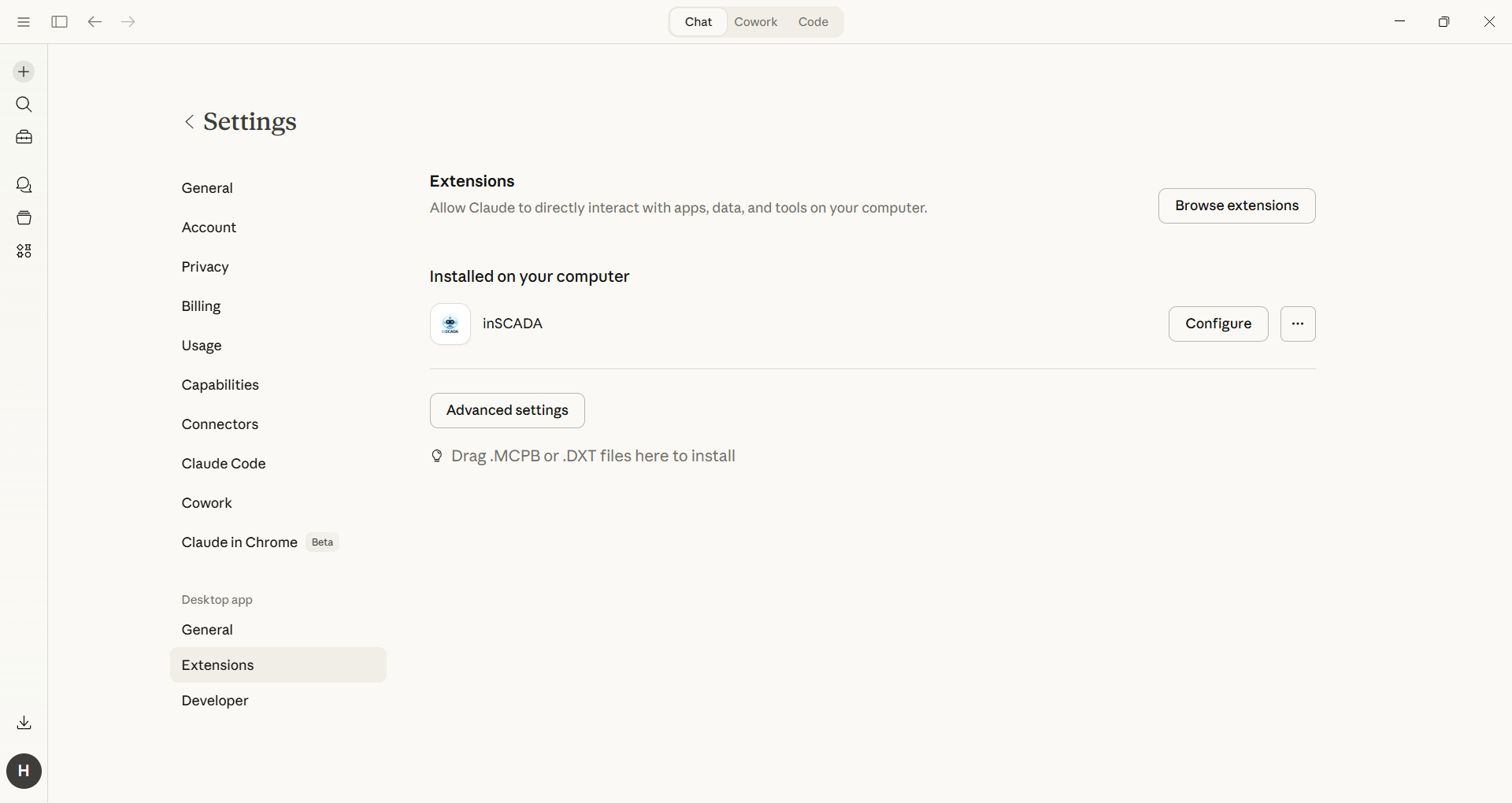
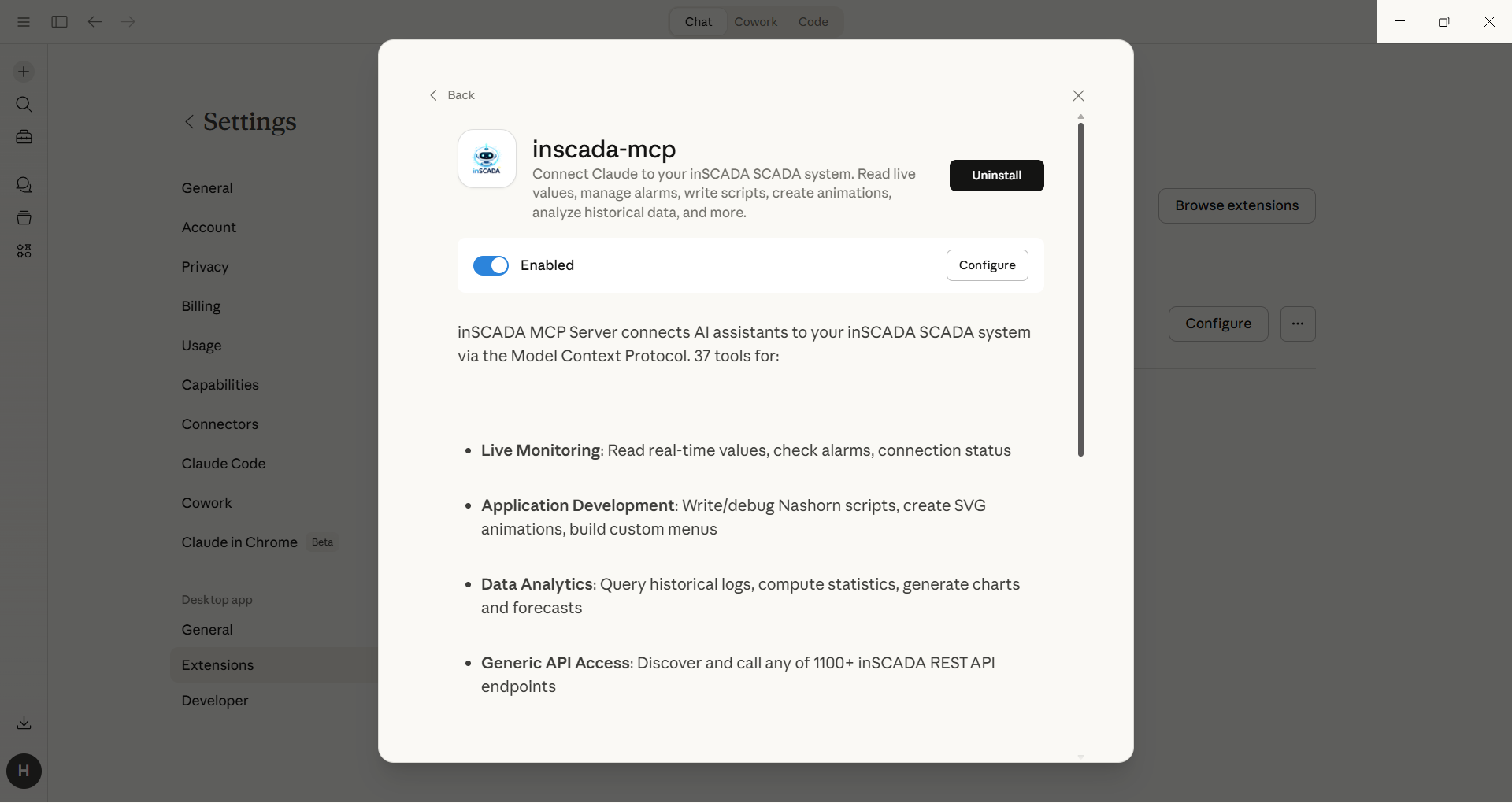
MCP — Claude Desktop Extension
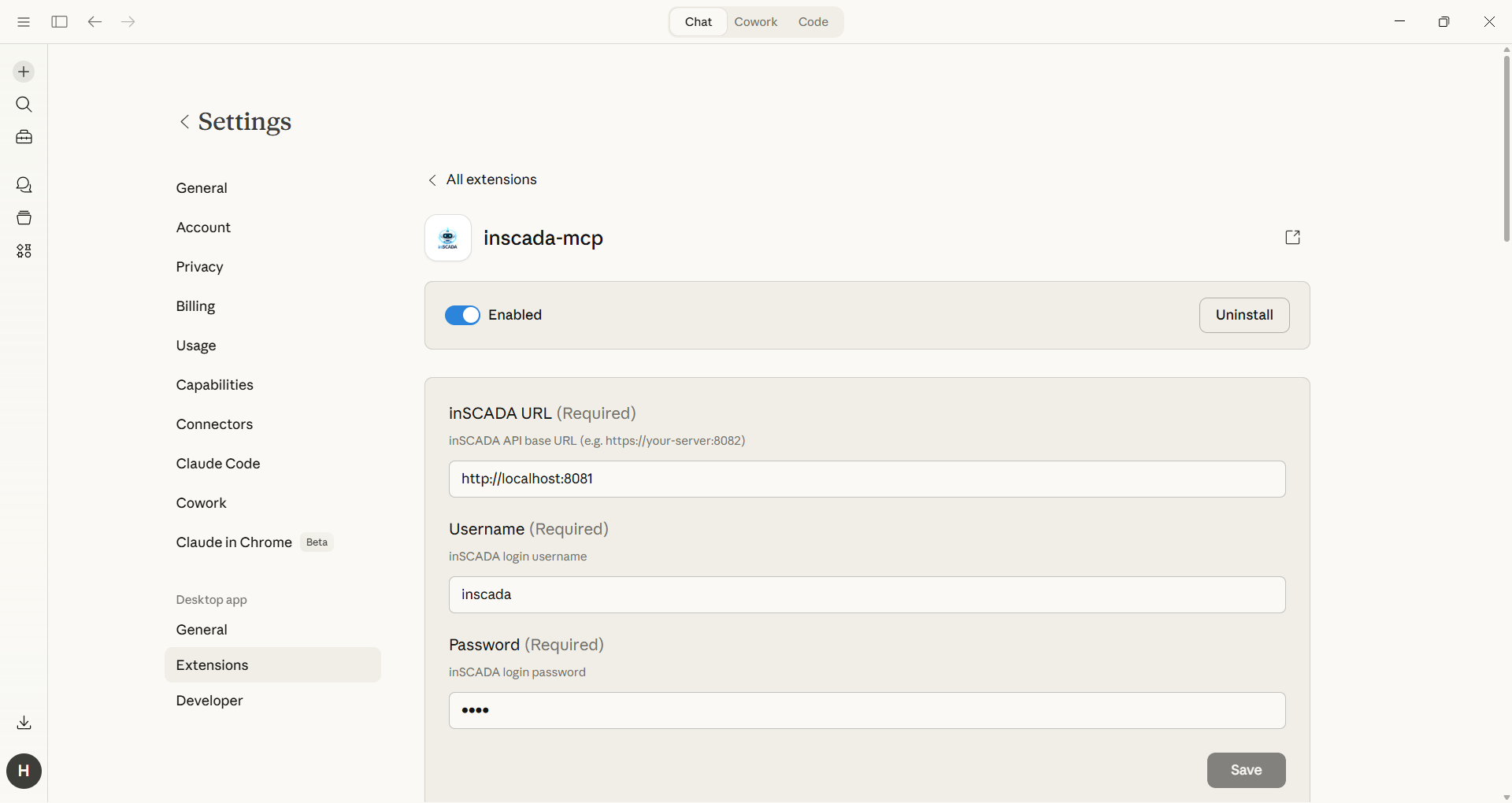
Drag the .mcpb file into Claude Desktop, enter your connection details, and start using it. Setup takes less than a minute.
- Drag-and-drop setup — drop the .mcpb file into Claude Desktop
- Enter URL, username and password in the UI — no config files to edit
- No extra token costs — your Claude Pro/Max subscription is enough
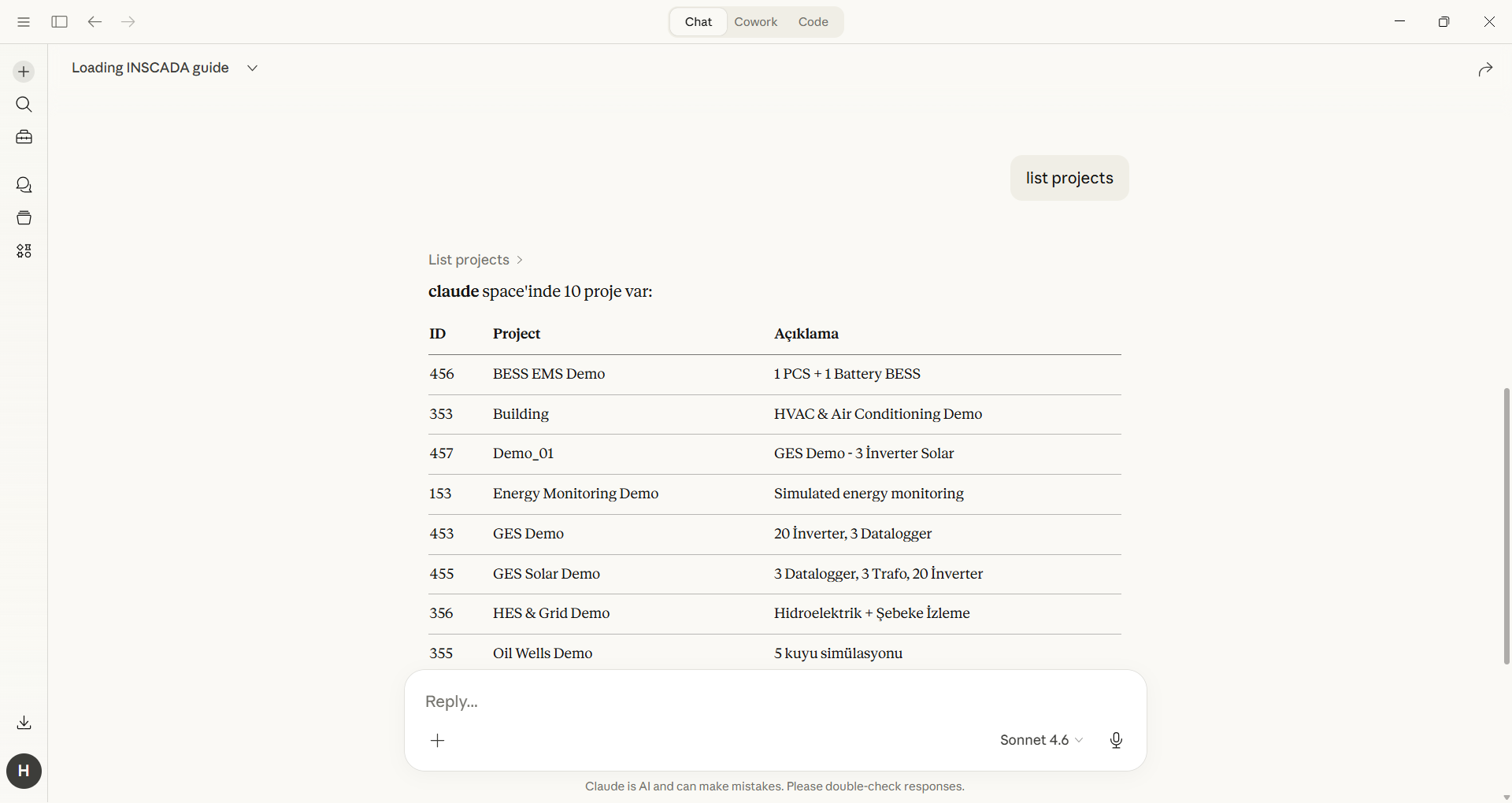
- Data analysis, script development, alarm queries — all from within Claude
- Data is processed through Claude's system
Requirements: Claude Desktop + Pro, Max or Team account
AI Assistant — Desktop App
Standalone Windows application. Choose your own AI provider, run fully local with Ollama — your data never leaves your machine.
- 100% local with Ollama — data privacy guaranteed
- Claude, Gemini, Groq, OpenAI-compatible model support
- Built-in chat interface, full Turkish/English support
- Excel export, live charts, script development and deploy
- Token costs based on API usage (except Ollama)
Requirements: Windows 10/11
Capabilities
Accelerate your SCADA operations with AI using 39 tools
Natural Language Querying
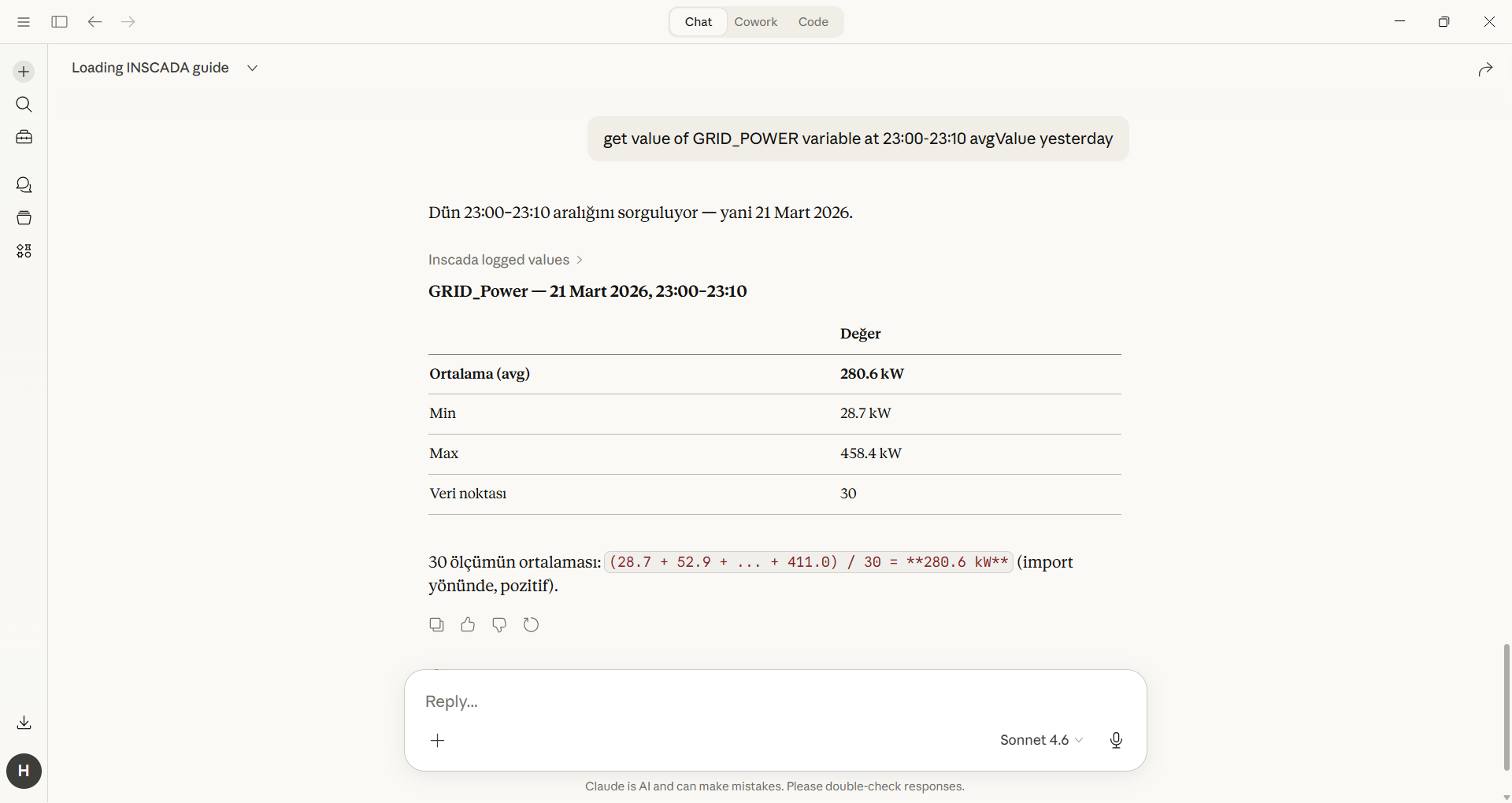
Query your SCADA data in English or Turkish. Just say "Show me the active power values for the last 24 hours" and you're done.
Live Data & Charts
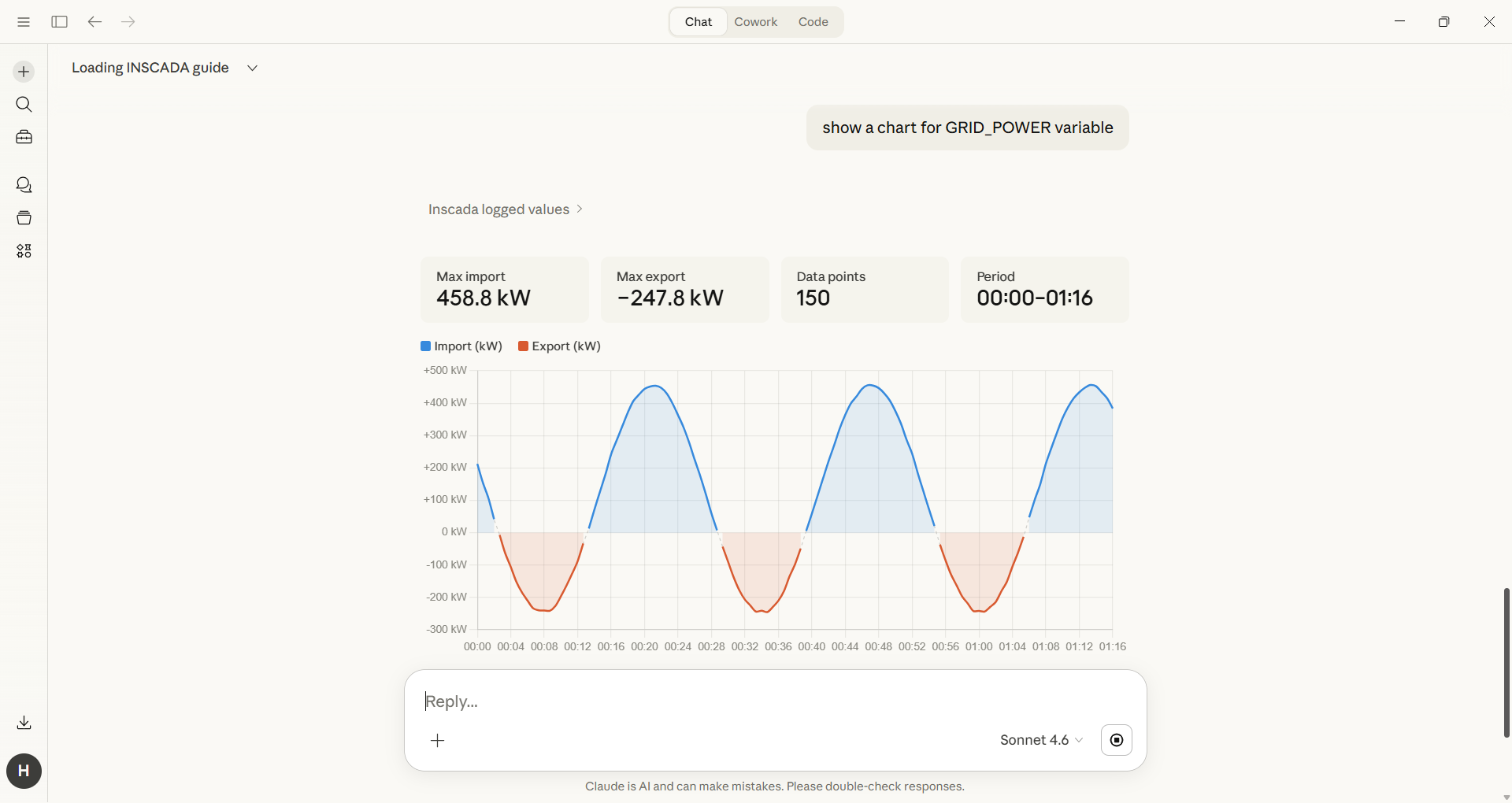
Generate real-time values, historical trends, gauge and forecast charts — all in a single conversation.
Alarm Analysis
Query active alarms, analyse alarm history and perform root cause analysis.
Script Development
Write, test and deploy ECMAScript 5 scripts compatible with the inSCADA script engine.
Excel Export
Export query results as .xlsx files. Reporting has never been this easy.
MCP Integration
Access inSCADA data directly from Claude Desktop and other AI tools via the Model Context Protocol.
How Is It Used?
Just ask, AI handles the rest
Application Development
Scripts, animations, custom menus and alarm configuration
Write a pump control script that stops the pump when pressure exceeds 5 bar

AI finds the relevant variables, generates a Nashorn-compatible ES5 script, tests and deploys it.
Create an SVG animation for the boiler room, change colour based on temperature
SVG animation and element definitions are created with expression-based variable bindings.
Add a custom menu to the homepage with a live energy consumption gauge
A custom menu is created with HTML/CSS/JS, featuring gauge and trend charts with live data.
Define an alarm group: temperature above 80°C is high, above 95°C is critical
Alarm group, analog alarm and threshold values are defined, notification settings configured.
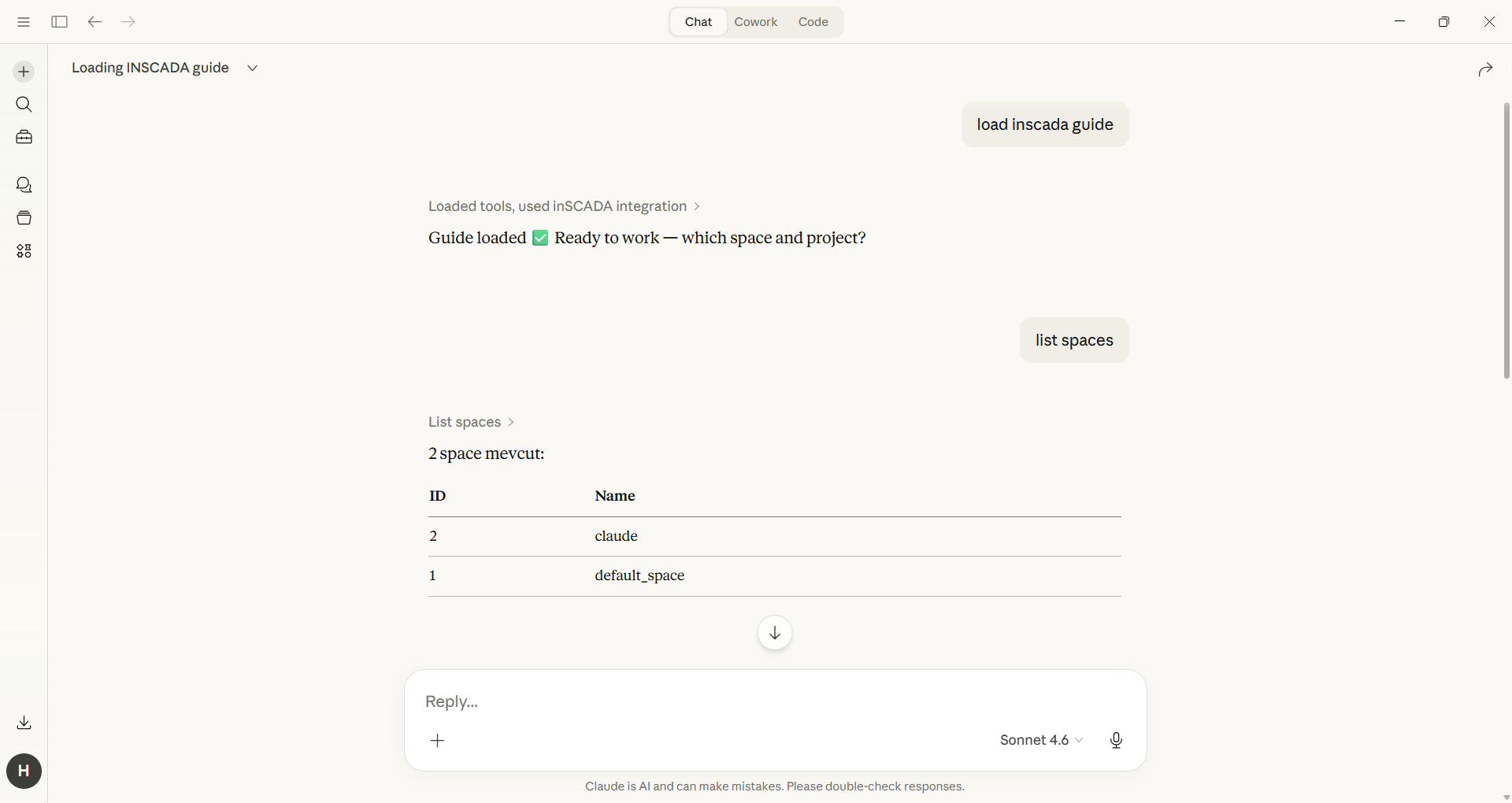
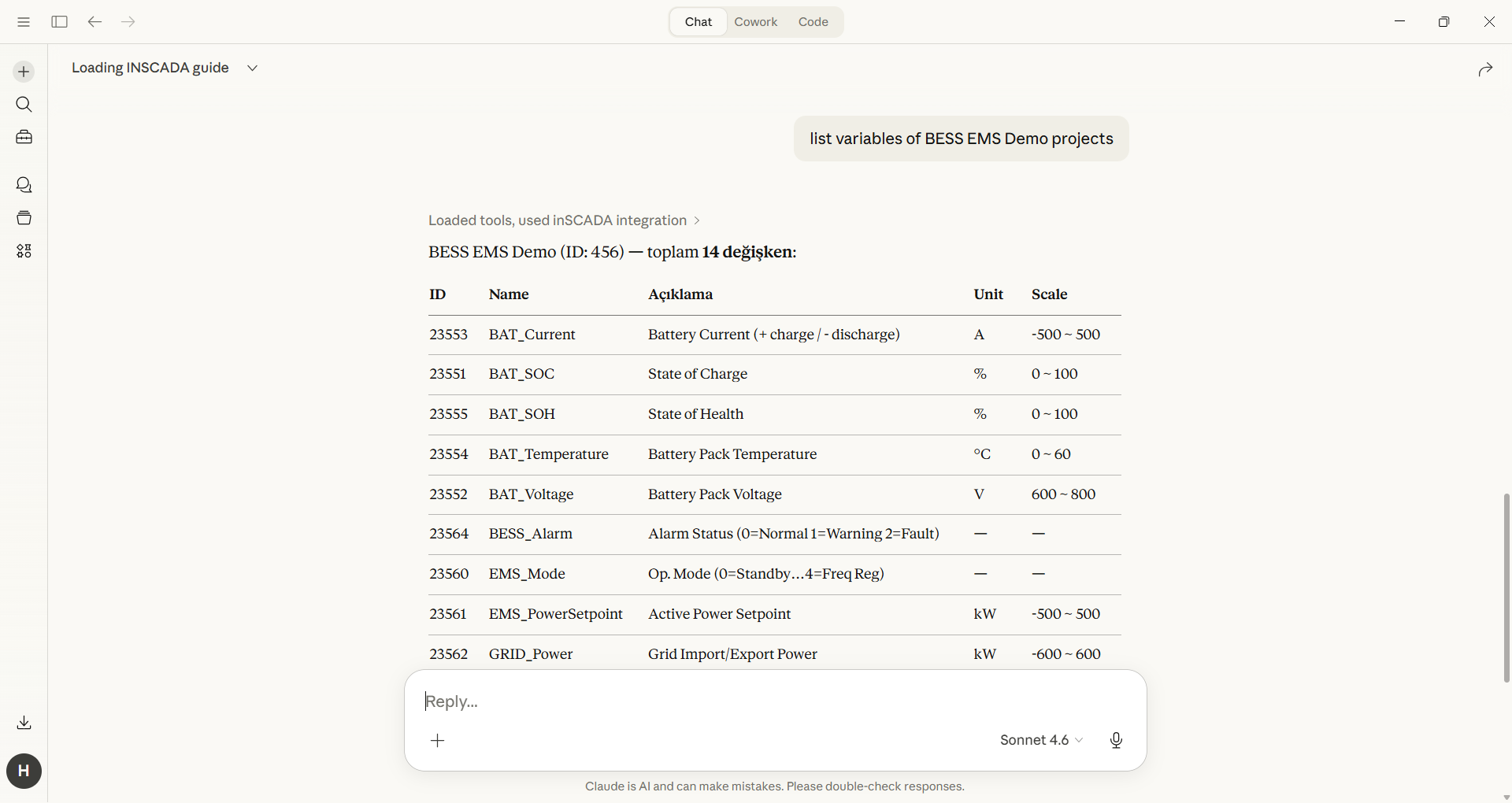
Screenshots
Real screenshots from both solutions
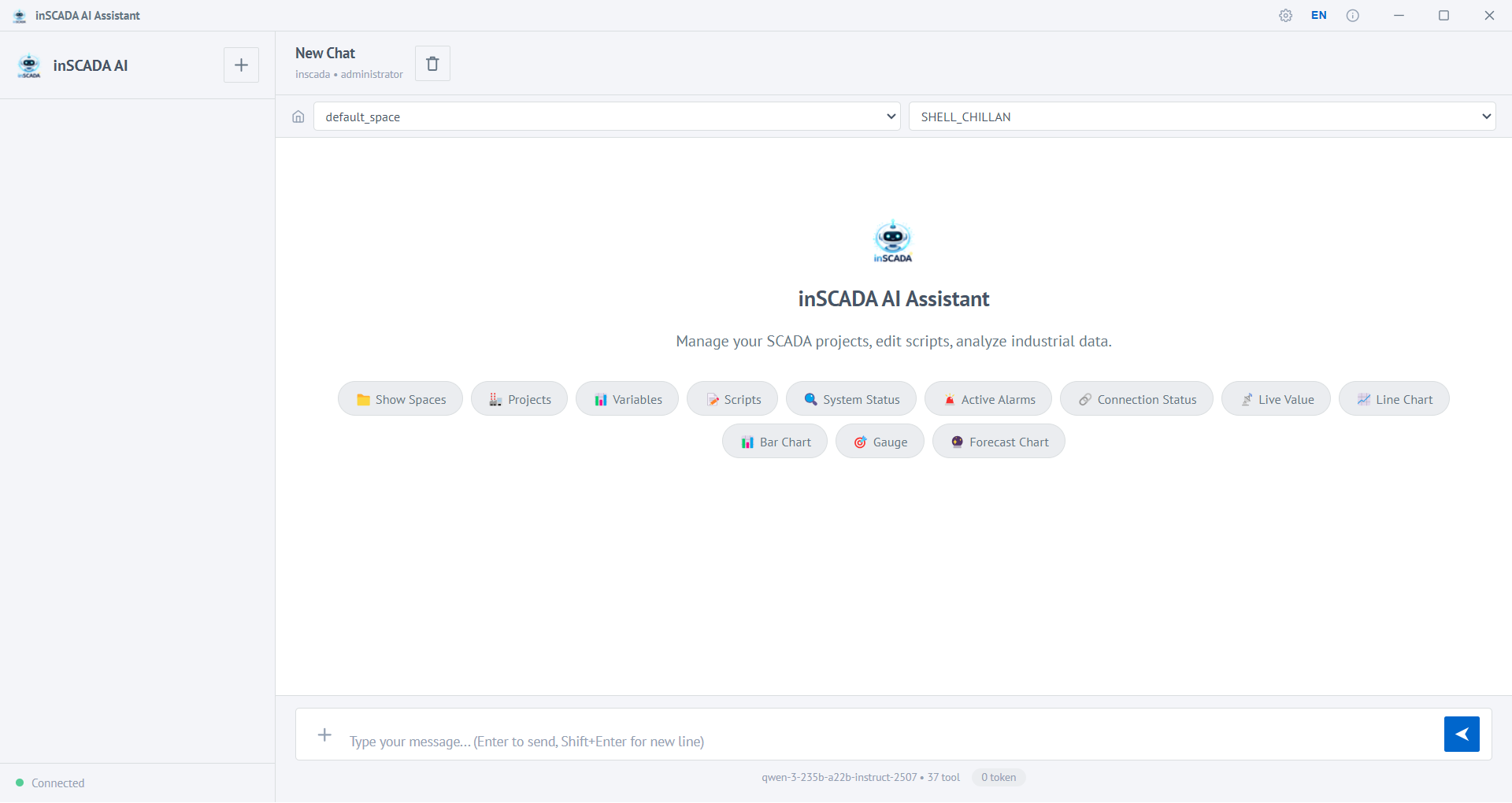
Main Screen
Chat interface, quick actions and workspace selection
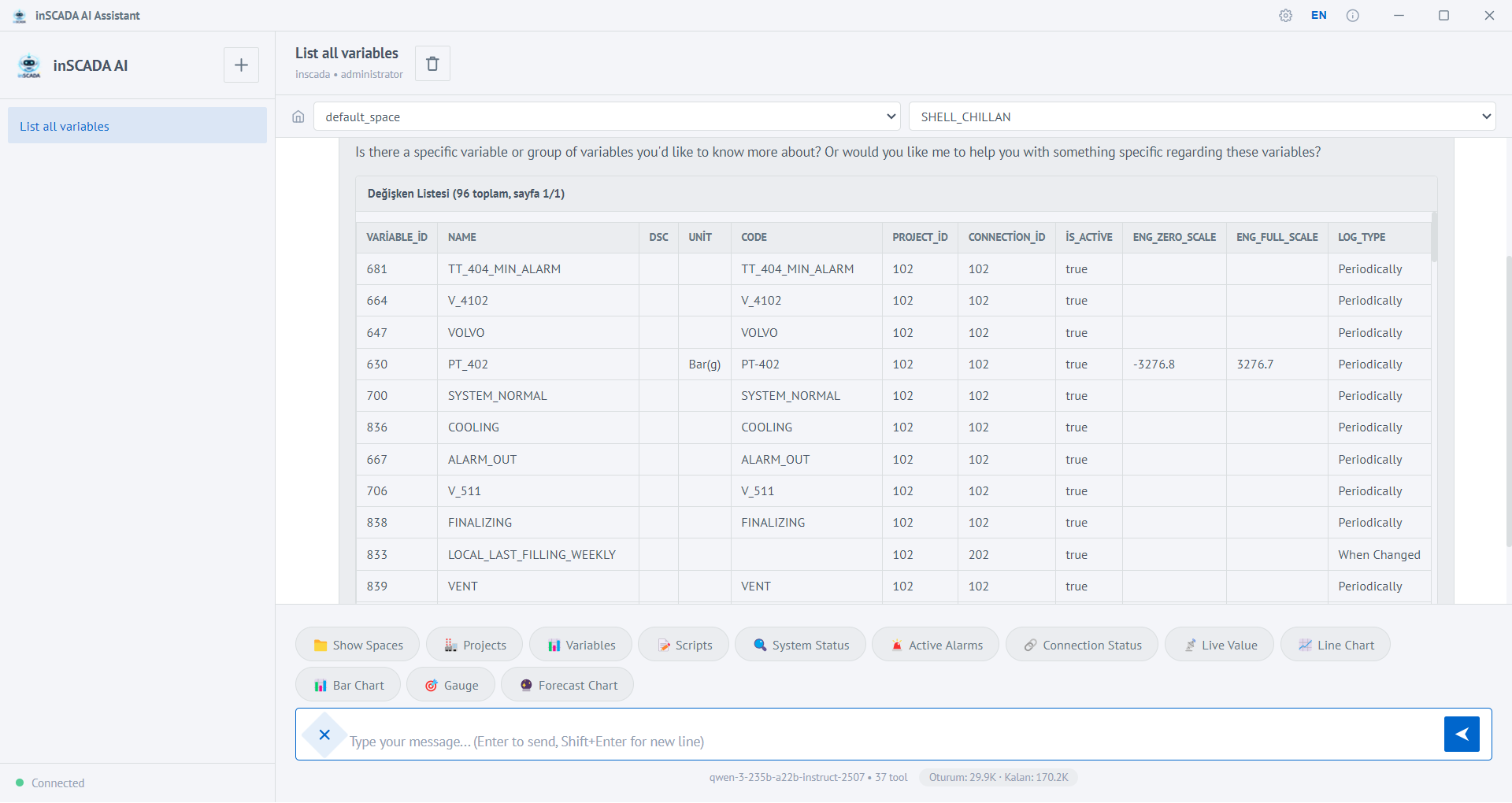
Variable List
View your SCADA data as a table with 39 tools
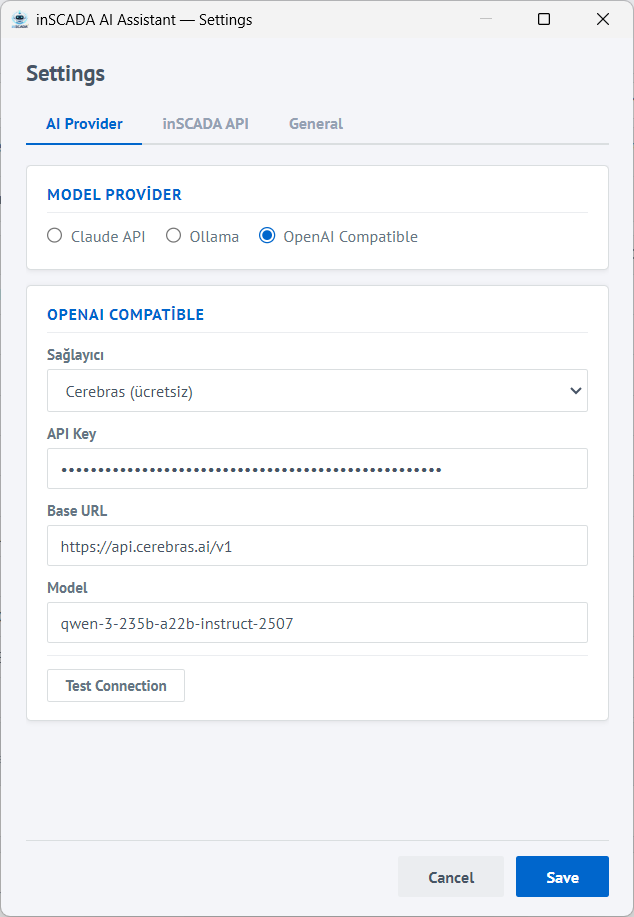
AI Provider Settings
Choose between Claude, Ollama or OpenAI-compatible models
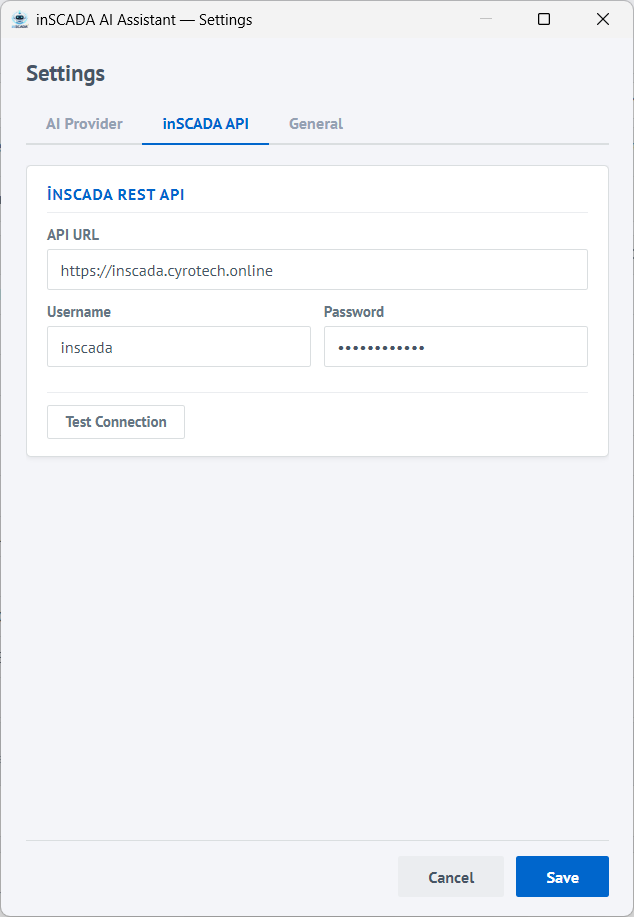
inSCADA API Connection
Connect to a local or remote inSCADA instance
AI Model Support
Choose your AI provider, your data stays under your control
Claude
Anthropic
The most advanced language model. Ideal for complex SCADA analyses and long script generation.
Ollama
Local
Open source models running on your own computer. No internet required, data never leaves your machine.
OpenAI Compatible
Multiple
Works with Google Gemini, Groq, Cerebras, OpenRouter and other OpenAI-compatible API providers.
Also supported: Google Gemini, Groq, Cerebras, OpenRouter, Together AI and other OpenAI-compatible APIs